ProfitDig Fall 2026 Update: AI Receipts, the New Field App, and Smarter Bidding

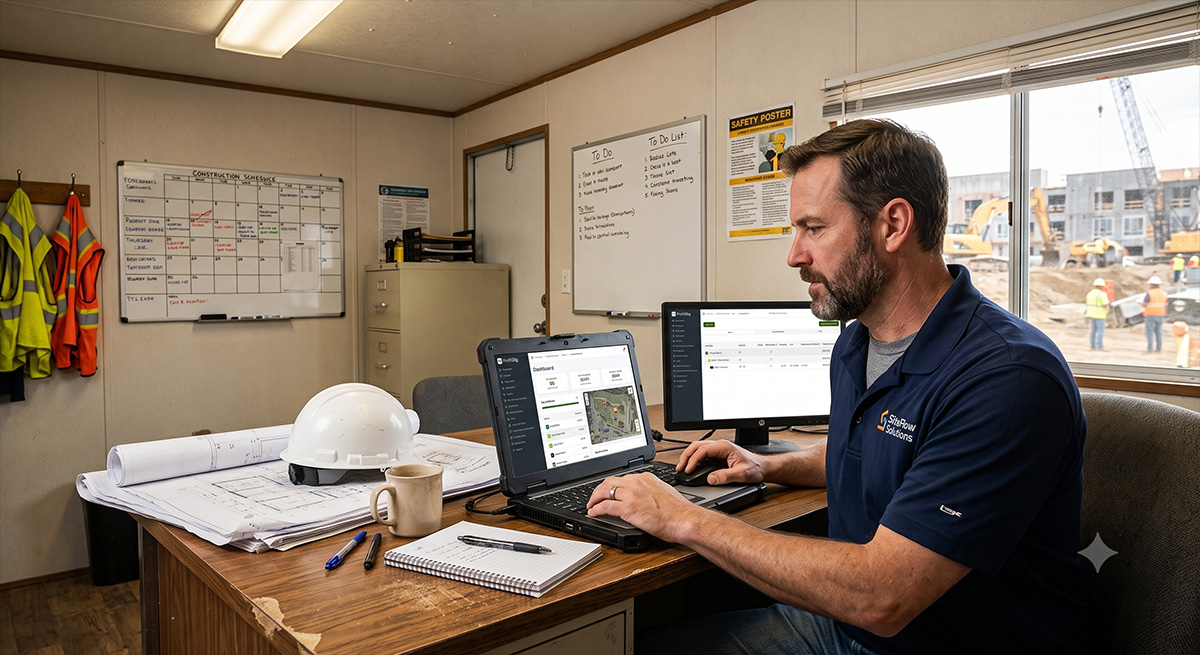
Since our last update in July, our team has been working tirelessly to make your bidding, estimating, and project management smoother than ever. Over the past few months, we’ve rolled out a massive wave of features designed to eliminate manual data entry, improve your on-site capabilities, and give you deeper insights into your bids.
From our highly anticipated mobile app to AI powered receipt scanning, here is a complete look at everything new in ProfitDig.
The ProfitDig Field App is Here
We are thrilled to announce that the ProfitDig Field App is officially live for Android! You can download it right now from the Google Play store by scanning the QR code located in your ProfitDig sidebar.
The Field App is your ultimate job site companion, allowing you to manage Daily Diaries, timesheets, notes, documents, and material costs directly from your phone.
Note for Apple users: Our iOS version is fully developed and currently making its way through Apple’s App Store review process. As soon as it is approved, we will update the QR code and notify you so you can get to work!
AI & Automated Onboarding
We know that setting up a new software system or importing mass amounts of data can be incredibly time consuming. We’ve introduced powerful new tools to automate the heavy lifting:
-
AI Receipt Analysis: You can now attach a photo or PDF of a receipt or invoice when adding a Material Cost, and our AI will automatically read and fill in the vendor, invoice number, date, totals, and line items. You review the extracted data before saving, keeping you in total control.
-
Onboarding Setup Wizard: Need to get a new company profile set up fast? You can now drag and drop up to five documents at once like old bids, estimates, catalogs, or price lists. ProfitDig will analyze the files and allow you to seamlessly import your employees, company info, bid items, and materials.
-
Mass Insert from a Document: Admins can now upload old bids or supplier quotes directly into the Mass Insert tool. ProfitDig pulls the bid items and materials for you to review, flagging unknown units and suggesting identifiers so you don’t have to type them from scratch.
Better Bidding & Takeoffs
Bids are the lifeblood of your business, and we’ve made several major upgrades to how you view, calculate, and present them to your clients:
-
40 New Bid PDF Styles: We’ve completely overhauled our proposal generation. You can now mix and match 5 different Layouts (A through E) with 8 different Content options to create 40 unique bid styles. You can set personal and company defaults in your settings.
-
Labor, Machine, and Crew Days at a Glance: The bid page now displays icons indicating labor hours (people), machine hours (forklift), and crew days (calendar) for every single line item and header. You can instantly check the schedule behind your pricing without clicking into every line.
-
Bid Breakdown Excel Export: Need to run your own numbers? You can now download your bid as a detailed Excel spreadsheet, completely broken down by headers, line items, or the entire bid.
-
Project Bid Item Page Redesign: We’ve introduced a new “Navigation and Search” sub sidebar that lets you quickly snap to specific headers or items. We’ve also added a new “% of bid” and “% of header” metric so you can easily see how much financial weight a specific item carries. Plus, we optimized this entire page to look and function beautifully on smaller screens and tablets!
-
Scopes of Work Templates: Save your standard scope text by job type and instantly apply them to new bids.
-
Stencil Shortcuts: You can now create and select a new bid item or material directly from a Stencil during a takeoff without ever leaving the page.
Project Management & Daily Diaries
Keeping the office and the field on the same page is critical, so we’ve refined how field data flows into your main project files:
-
Integrated Notes: Safety notes, work performed, delays, and additional notes from your Daily Diaries now automatically populate into your main Project Notes tab and are marked with a Daily Diary badge.
-
Smarter Diary Locking: Locking a Daily Diary now requires a Site Arrival time that defaults to 6:00 AM. This ensures our automated weather fetch accurately reflects the conditions from the moment your crew arrived.
-
Role Privileges Matrix: Daily Diaries have been added to the matrix. Office roles can now create, edit, or unlock any diary, while Field roles are strictly limited to their own diaries on awarded projects.
Mandatory Security Update: Two Factor Authentication
To protect your business data against newly published industry wide security vulnerabilities, we proactively updated how ProfitDig stores and verifies Two Factor Authentication.
Action Required: If you previously used an authenticator app for authentication, your setup has been reset to clear out the old, vulnerable settings. Your password remains completely safe and unchanged. Please navigate to Settings → Two Factor Authentication to rescan a new QR code and re-enable this essential layer of security.
Quality of Life Fixes & Improvements
-
In App Help Articles & Walkthroughs: We replaced our outdated help videos with searchable, continuously updated help articles. Just click “Help for this page” in the header to get contextual instructions. New users will also see a 5 phase “How ProfitDig Works” walkthrough.
-
Cost Workflows: We clarified that project costs and change orders can only begin after a bid is officially submitted and awarded. Additionally, cost notes for materials, subcontractors, and contingencies can now be left blank.
-
Timesheet & Equipment Fixes: Timesheet dropdowns will now properly display awarded jobs even if they aren’t on the first page of your project list. We also squashed bugs that were clearing equipment and employee names when adding multiple rows to a bid line.
-
Takeoff Stability: If a blueprint PDF fails to convert, it no longer locks up the upload screen. We also fixed a bug where undo and redo commands would crash if a shape had no points.
We hope these updates save you hours of paperwork and make winning your next job just a little bit easier. Log in today to try out the new Onboarding Wizard, experiment with the new Bid PDF styles, and be sure to download the Android app!
Stop losing profit.
Build bids in minutes and track every dime with ProfitDig.
Start Risk-Free30-Day Money Back Guarantee